Commonly used interface
The main types of interface functions commonly used by users are as follows:
Graphics
The graphics api mainly contains the api for common graphics drawing and the api for Boolean operations.
The api for common graphics mainly contains:
fp.el.Rect
fp.el.Circle
fp.el.Polygon
fp.el.Ring
fp.el.RegularPolygon
fp.el.Line
fp.el.Label
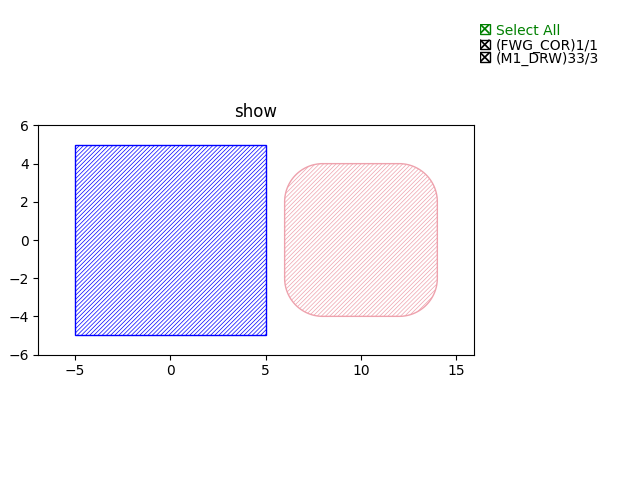
fp.el.Rectparameters: width/height/center/origin/bottom_left/transform/corner_radius/layer
examples:
fp.el.Rect(width=10, height=10, center=(0, 0), layer=TECH.LAYER.FWG_COR)fp.el.Rect(width=8, height=8, center=(10, 0), layer=TECH.LAYER.M1_DRW, corner_radius=2)
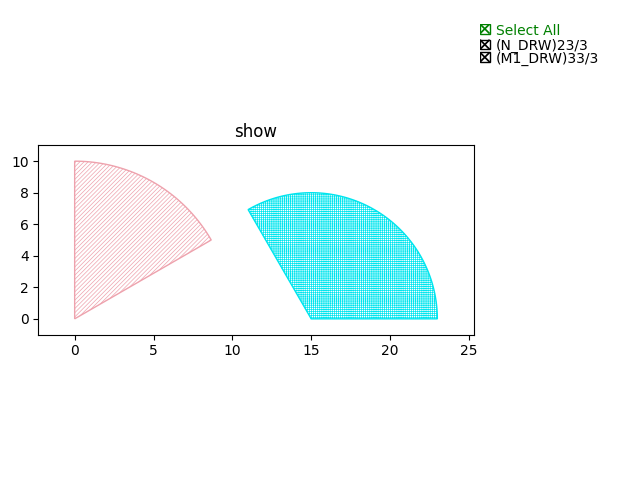
fp.el.Circleparameters: radius/origin/initial_degrees/final_degrees/initial_radians/final_radians/transform/layer
examples:
fp.el.Circle(radius=10, origin=(0, 0), initial_degrees=30, final_degrees=90, layer=TECH.LAYER.M1_DRW)fp.el.Circle(radius=8, origin=(15, 0), initial_degrees=0, final_degrees=120, layer=TECH.LAYER.N_DRW)
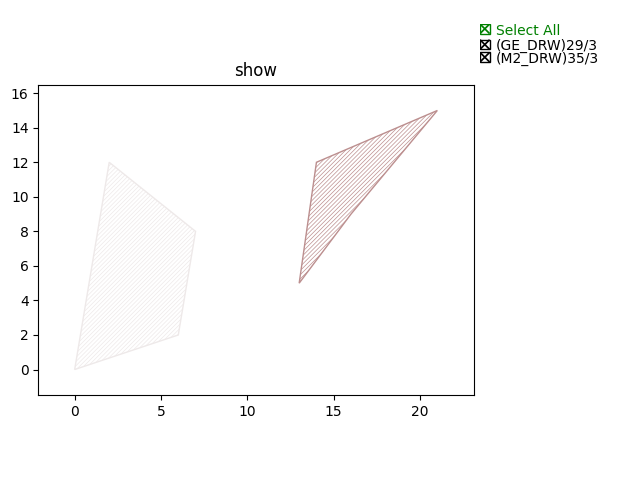
fp.el.Polygonparameters: raw_shape/origin/transform/layer
examples:
fp.el.Polygon(raw_shape=[(0, 0), (6, 2), (7, 8), (2, 12)], origin=(0, 0), layer=TECH.LAYER.M2_DRW)fp.el.Polygon(raw_shape=[(3, 5), (6, 9), (11, 15), (4, 12)], origin=(10, 0), layer=TECH.LAYER.GE_DRW)
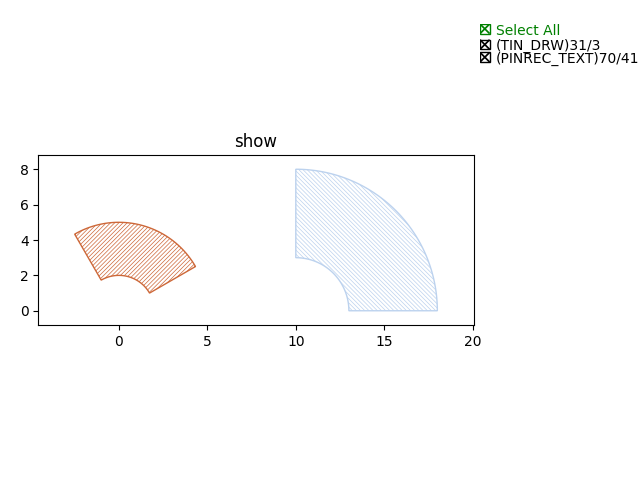
fp.el.ringparameters: outer_radius/inner_radius/origin/initial_degrees/final_degrees/initial_radians/final_radians/transform/layer
examples:
fp.el.Ring(outer_radius=5, inner_radius=2, initial_degrees=30, final_degrees=120, layer=TECH.LAYER.TIN_DRW)fp.el.Ring(outer_radius=8, inner_radius=3, initial_degrees=0, final_degrees=90, origin=(10, 0), layer=TECH.LAYER.PINREC_TEXT)
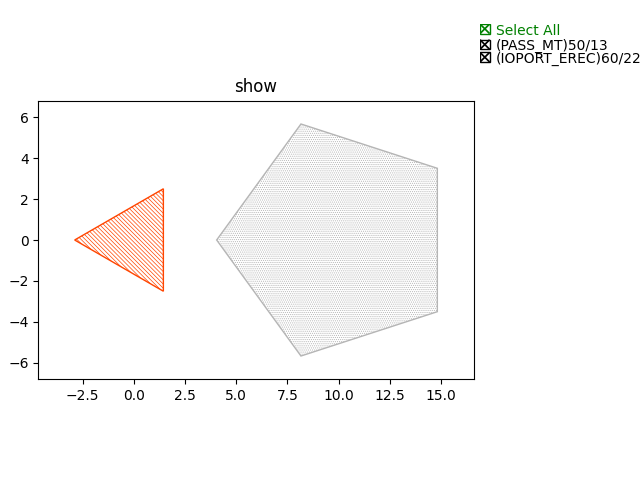
fp.el.RegularPolygonparameters: sides/side_length/origin/transform/layer
examples:
fp.el.RegularPolygon(sides=3, side_length=5, layer=TECH.LAYER.IOPORT_EREC)fp.el.RegularPolygon(sides=5, side_length=7, origin=(10, 0), layer=TECH.LAYER.PASS_MT)
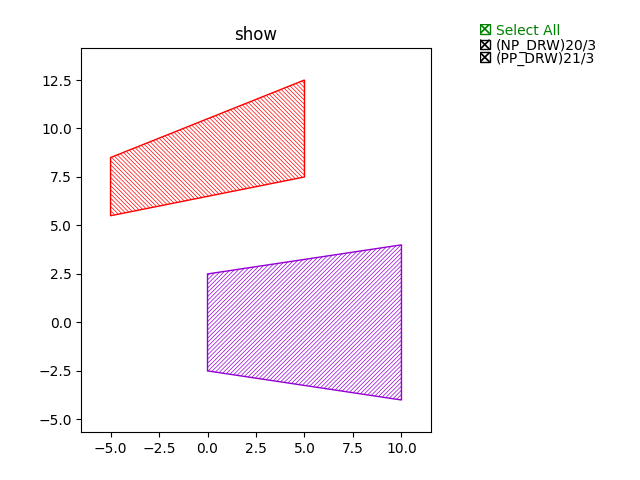
fp.el.Lineparameters: length/stroke_width/final_stroke_width/stroke_offset/final_stroke_offset/taper_function/end_hints/anchor/origin/transform/layer
examples:
fp.el.Line(length=10, stroke_width=5, final_stroke_width=8, layer=TECH.LAYER.NP_DRW)fp.el.Line(length=10, stroke_width=3, final_stroke_width=5, stroke_offset=2, final_stroke_offset=5, anchor=fp.Anchor.CENTER, origin=(0, 5), layer=TECH.LAYER.PP_DRW)
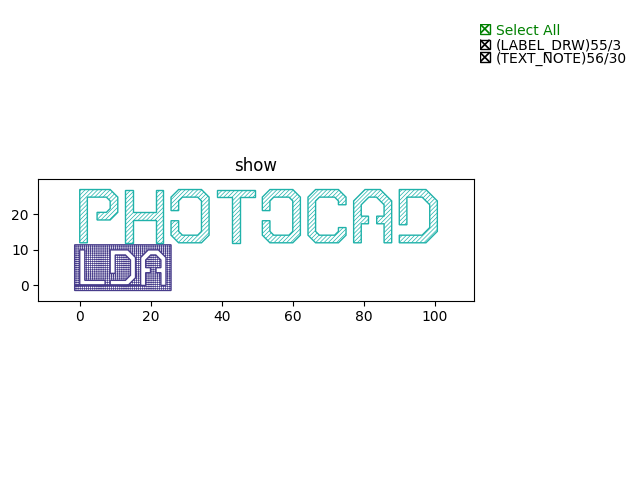
fp.el.Labelparameters: content/highlight/baseline/at/font/font_size/origin/anchor/transform/layer
examples:
from gpdk.technology.font.font_std_vented import FONT as fontlabel = fp.el.Label(content="LDA", highlight=True, at=(0, 0), font=font, font_size=10, layer=TECH.LAYER.LABEL_DRW)fp.el.Label(content="PHOTOCAD", highlight=False, at=(0, 12), font=font, font_size=15, layer=TECH.LAYER.TEXT_NOTE)
To change the layer of an element from one component to another, users are allow to use fp.el.PolygonSet.with_layer() to easily adjust the layer of the element from one to another:
fp.el.PolygonSet.with_layer(self="polygon you wish to tranform", layer="the layer you wish the transformed polygon to be")
The Boolean api mainly contains:
OR
AND
NOT
XOR
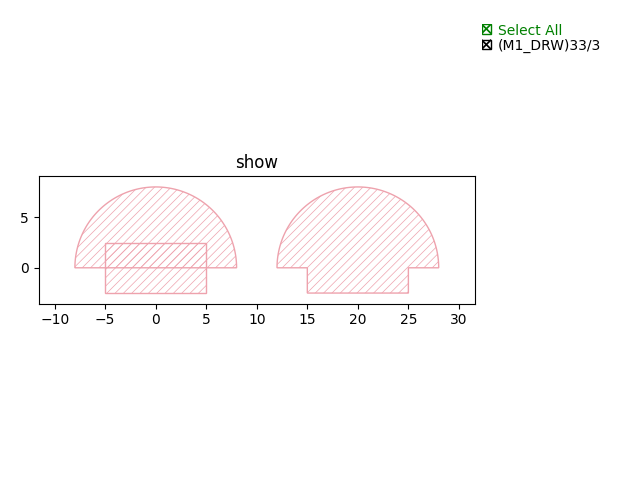
ORexamples:
rect = fp.el.Rect(width=10, height=5, center=(0, 0), layer=TECH.LAYER.M1_DRW)circ = fp.el.Circle(radius=8, initial_degrees=0, final_degrees=180, layer=TECH.LAYER.M1_DRW)bool = rect | circ
ANDexamples:
rect = fp.el.Rect(width=10, height=5, center=(0, 0), layer=TECH.LAYER.M1_DRW)circ = fp.el.Circle(radius=8, initial_degrees=0, final_degrees=180, layer=TECH.LAYER.M1_DRW)bool = rect & circ
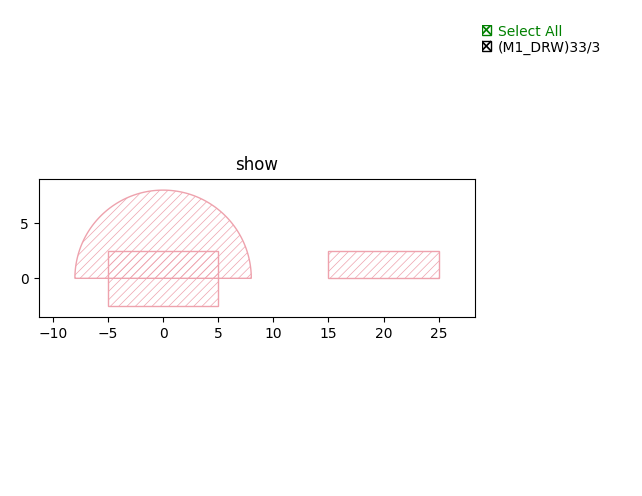
NOTexamples:
rect = fp.el.Rect(width=10, height=5, center=(0, 0), layer=TECH.LAYER.M1_DRW)circ = fp.el.Circle(radius=8, initial_degrees=0, final_degrees=180, layer=TECH.LAYER.M1_DRW)bool = rect - circ
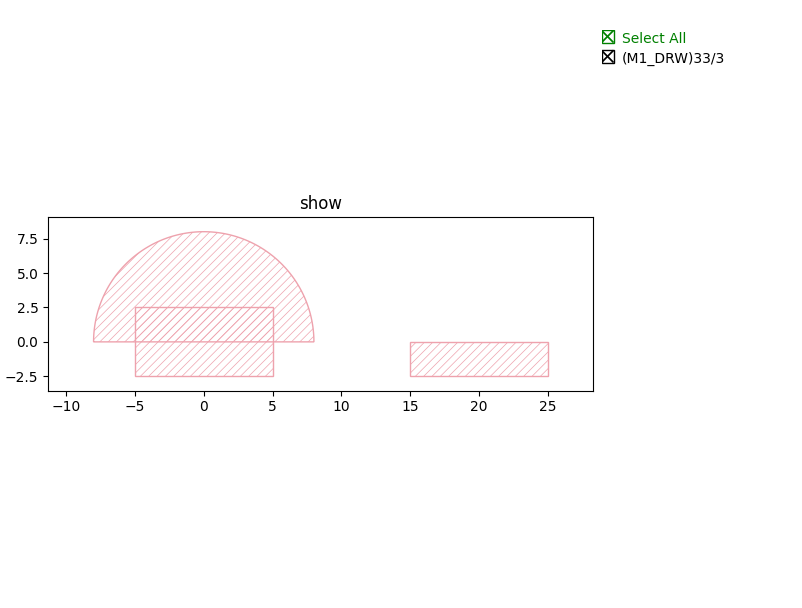
XORexamples:
rect = fp.el.Rect(width=10, height=5, center=(0, 0), layer=TECH.LAYER.M1_DRW)circ = fp.el.Circle(radius=8, initial_degrees=0, final_degrees=180, layer=TECH.LAYER.M1_DRW)bool = rect ^ circ
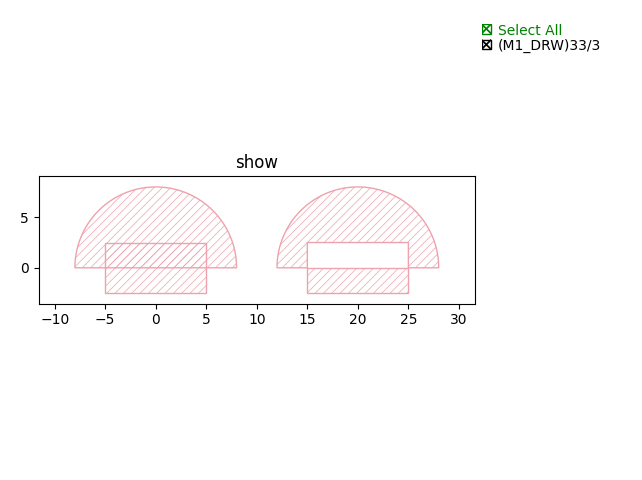
Routing
The routing api mainly contains:
fp.Linked
fp.LinkBetween
fp.create_links
fp.Connect
For specific usage, please refer to Waveguide Routing.
Transform
The transform api mainly contains:
translated
rotated
h_mirrored
v_mirrored
c_mirrored
scaled
translatedparameters: tx/ty
examples:
a = fp.el.Rect(width=5, height=5, center=(0, 0), layer=TECH.LAYER.M1_DRW, corner_radius=1)b = a.translated(10, 0)
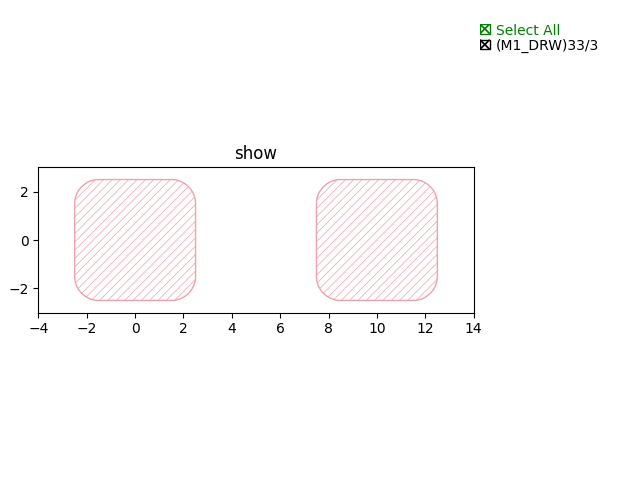
rotatedparameters: degrees/radians/origin/inplace
examples:
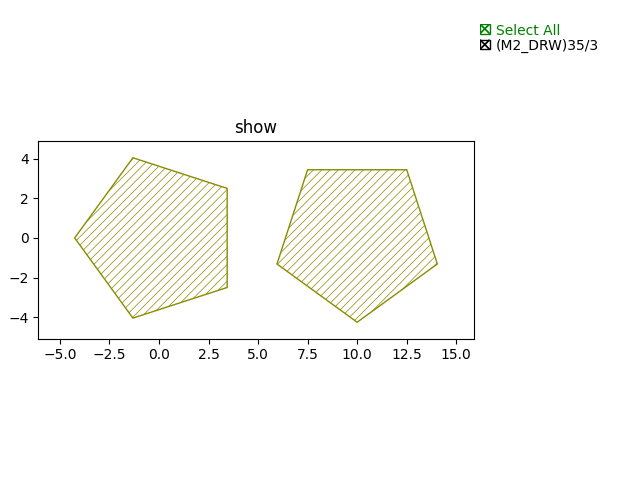
a = fp.el.RegularPolygon(sides=5, side_length=5, layer=TECH.LAYER.M2_DRW)b = a.rotated(degrees=90).translated(10, 0)
h_mirroredparameters: x/inplace
examples:
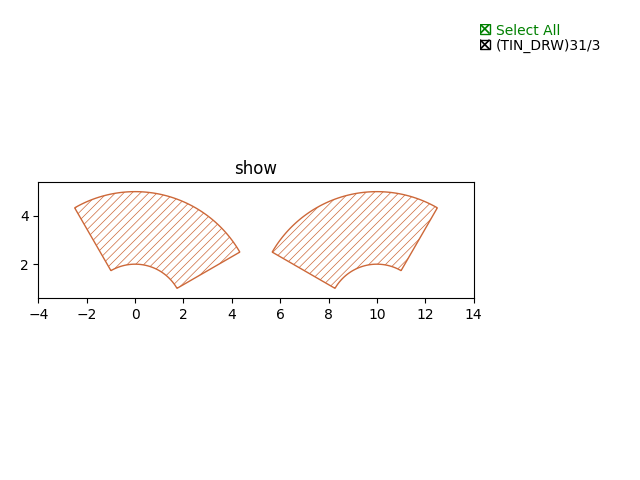
a = fp.el.Ring(outer_radius=5, inner_radius=2, initial_degrees=30, final_degrees=120, layer=TECH.LAYER.TIN_DRW)b = a.h_mirrored(x=5)
v_mirroredparameters: y/inplace
examples:
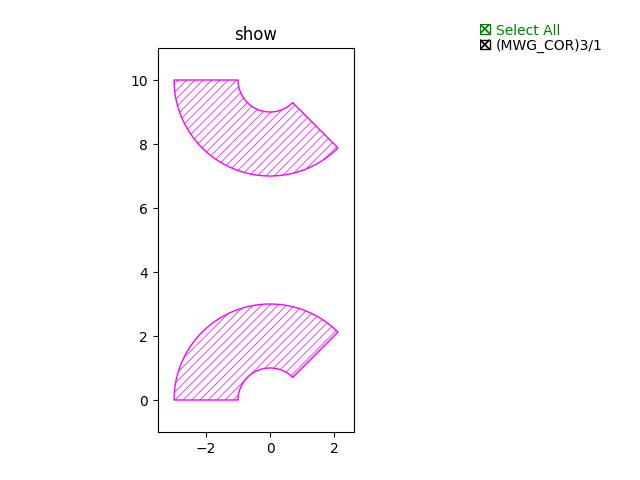
a = fp.el.EllipticalRing(outer_radius=3, inner_radius=1, initial_degrees=45, final_degrees=180, layer=TECH.LAYER.MWG_COR)b = a.v_mirrored(y=5)
c_mirroredparameters: origin/center/inplace
examples:
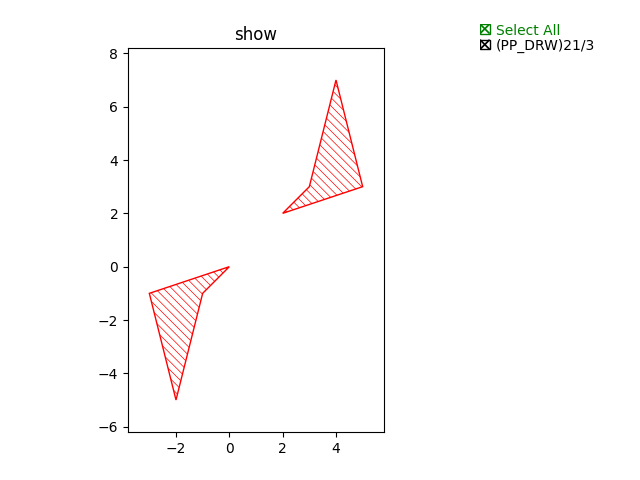
a = fp.el.Polygon(raw_shape=[(0, 0), (-3, -1),(-2, -5), (-1, -1)], layer=TECH.LAYER.PP_DRW)b = a.c_mirrored(origin=(1, 1))
scaledparameters: sx/sy/origin/inplace
examples:
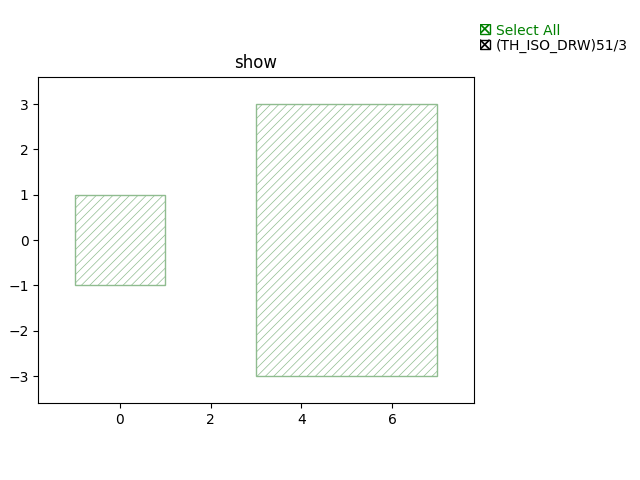
a = fp.el.Rect(width=2, height=2, center=(0, 0), layer=TECH.LAYER.TH_ISO_DRW)b = a.scaled(2, 3).translated(5, 0)
Information
The information api mainly contains:
position:
 # return port's position (x, y)
orientation:
 # return port's orientation (radian)
get_left_ports:
 # return all left-sided ports in the PCell
get_right_ports:
 # return all right-sided ports in the PCell
get_bounding_box(target, exclude_layers):
 # return the bounding box's coordinate of the PCell
 # target: any drawable instance, such as IPolygon, ICell, ICellRef, ILibrary
 # exclude_layers: layers you don't want the function to be included.