fp.el API
The fp.el api mainly contains the api for common graphics drawing and the api for Boolean operations.
fp.el
The api for common graphics mainly contains:
fp.el.Arc
fp.el.Rect
fp.el.Circle
fp.el.Curve
fp.el.Polygon
fp.el.Ring
fp.el.RegularPolygon
fp.el.Line
fp.el.Label
fp.el.Polyline
fp.el.EllipticalRing
fp.el.EllipticalArc
fp.el.Text
fp.el.Arc- parameters
radius
stroke_width
final_stroke_width
stroke_offset
final_stroke_offset
taper_function
initial_radians/degress
final_radians/degrees
extension
line_cap
origin
transform
layer
examples:
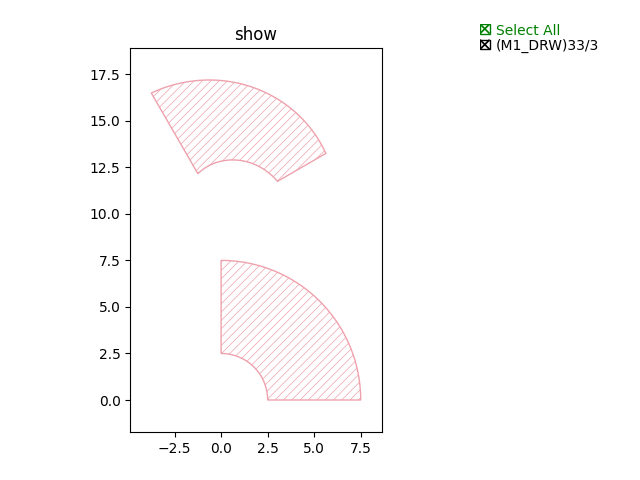
fp.el.Arc(radius=5, initial_degrees=0, final_degrees=90, stroke_width=5, layer=TECH.LAYER.M1_DRW)fp.el.Arc(radius=5, initial_degrees=30, final_degrees=120, stroke_width=3, final_stroke_width=5, layer=TECH.LAYER.M1_DRW).translated(0, 10)
fp.el.Rect- parameters
width
height
center
origin
bottom_left
transform
corner_radius
layer
examples:
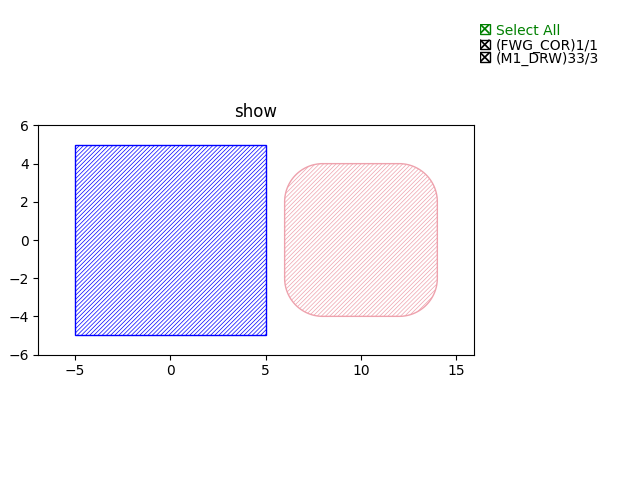
fp.el.Rect(width=10, height=10, center=(0, 0), layer=TECH.LAYER.FWG_COR)fp.el.Rect(width=8, height=8, center=(10, 0), layer=TECH.LAYER.M1_DRW, corner_radius=2)
fp.el.Circle- parameters
radius
origin
initial_degrees
final_degrees
initial_radians
final_radians
transform
layer
examples:
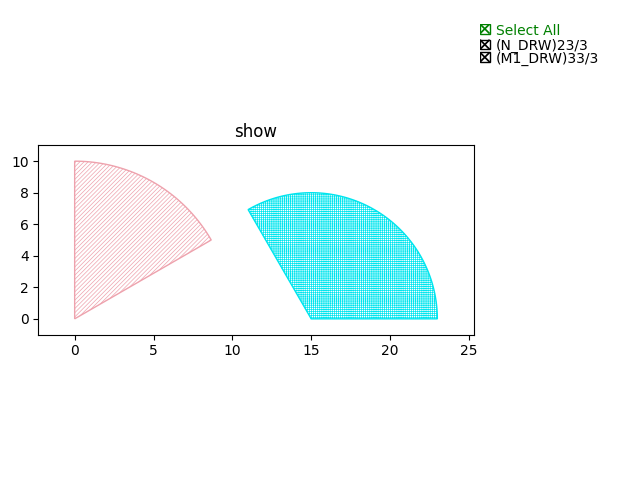
fp.el.Circle(radius=10, origin=(0, 0), initial_degrees=30, final_degrees=90, layer=TECH.LAYER.M1_DRW)fp.el.Circle(radius=8, origin=(15, 0), initial_degrees=0, final_degrees=120, layer=TECH.LAYER.N_DRW)
fp.el.CurvePaintfp.el.CurvePaint.ContinuousLayerfp.el.CurvePaint.PeriodicSamplingfp.el.CurvePaint.Samplingfp.el.CurvePaint.Compositefp.el.CurvePaint.from_profile
fp.el.Polygon- parameters
raw_shape
origin
transform
layer
examples:
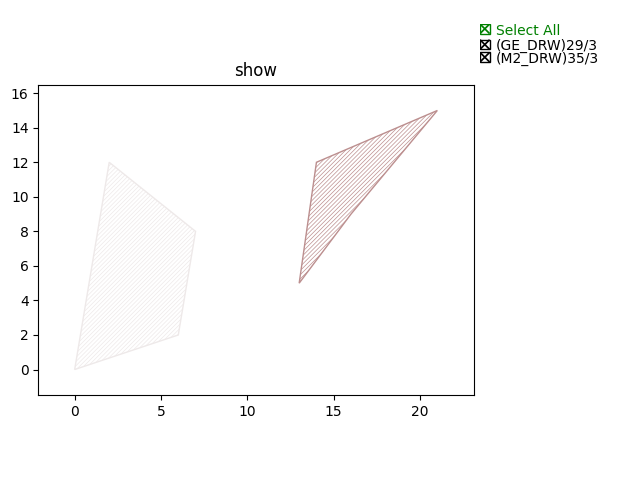
fp.el.Polygon(raw_shape=[(0, 0), (6, 2), (7, 8), (2, 12)], origin=(0, 0), layer=TECH.LAYER.M2_DRW)fp.el.Polygon(raw_shape=[(3, 5), (6, 9), (11, 15), (4, 12)], origin=(10, 0), layer=TECH.LAYER.GE_DRW)
fp.el.ring- parameters
outer_radius
inner_radius
origin
initial_degrees
final_degrees
initial_radians
final_radians
transform
layer
examples:
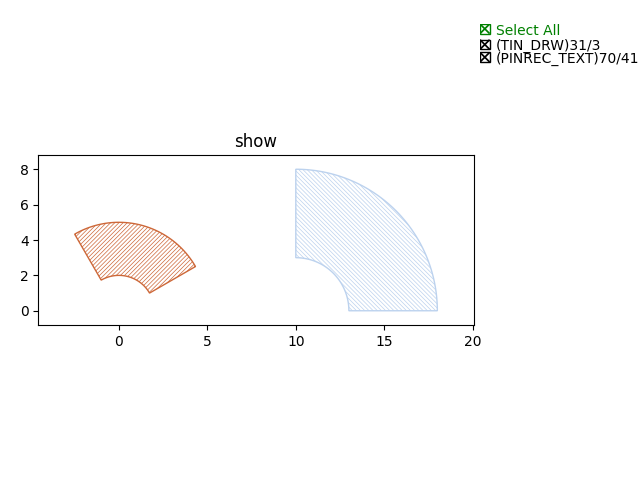
fp.el.Ring(outer_radius=5, inner_radius=2, initial_degrees=30, final_degrees=120, layer=TECH.LAYER.TIN_DRW)fp.el.Ring(outer_radius=8, inner_radius=3, initial_degrees=0, final_degrees=90, origin=(10, 0), layer=TECH.LAYER.PINREC_TEXT)
fp.el.RegularPolygon- parameters
sides
side_length
origin
transform
layer
examples:
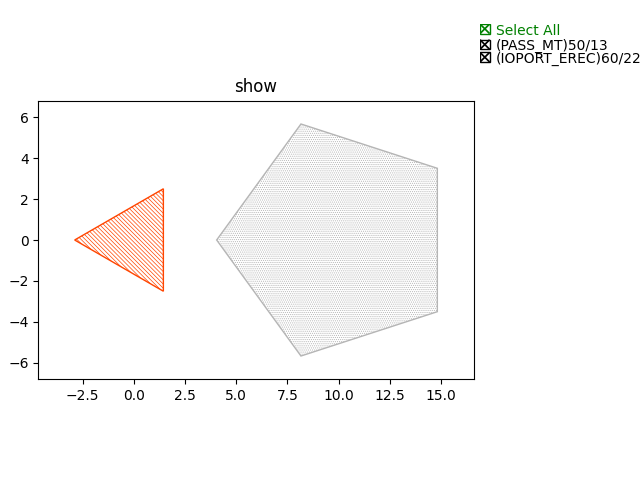
fp.el.RegularPolygon(sides=3, side_length=5, layer=TECH.LAYER.IOPORT_EREC)fp.el.RegularPolygon(sides=5, side_length=7, origin=(10, 0), layer=TECH.LAYER.PASS_MT)
fp.el.Line- parameters
length
stroke_width
final_stroke_width
stroke_offset
final_stroke_offset
taper_function
end_hints
anchor
origin
transform
layer
examples:
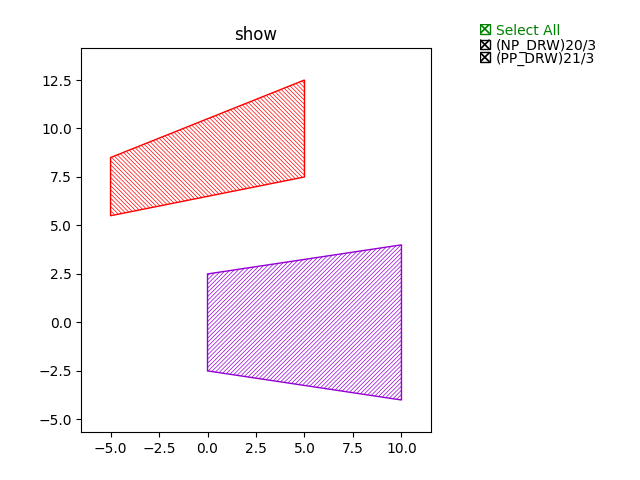
fp.el.Line(length=10, stroke_width=5, final_stroke_width=8, layer=TECH.LAYER.NP_DRW)fp.el.Line(length=10, stroke_width=3, final_stroke_width=5, stroke_offset=2, final_stroke_offset=5, anchor=fp.Anchor.CENTER, origin=(0, 5), layer=TECH.LAYER.PP_DRW)
fp.el.Label- parameters
content
highlight
baseline
at
font
font_size
origin
anchor
transform
layer
examples:
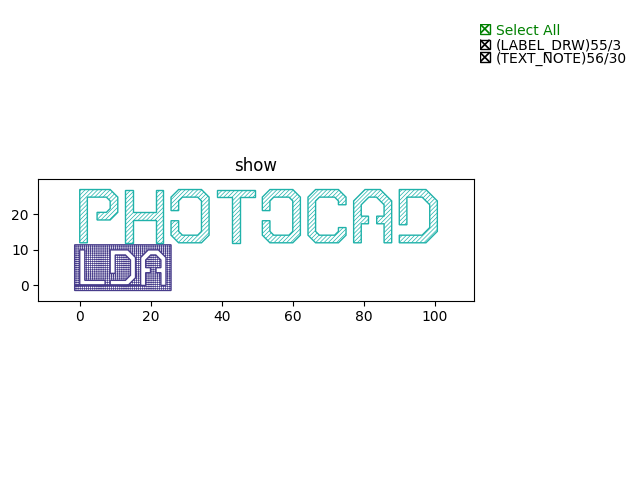
from gpdk.technology.font.font_std_vented import FONT as fontlabel = fp.el.Label(content="LDA", highlight=True, at=(0, 0), font=font, font_size=10, layer=TECH.LAYER.LABEL_DRW)fp.el.Label(content="PHOTOCAD", highlight=False, at=(0, 12), font=font, font_size=15, layer=TECH.LAYER.TEXT_NOTE)
fp.el.Text- parameters
content
text_anchor
vertical_align
at
transform
layer
Returns a text which will not appear on the real layout.
examples:
text = fp.el.Text(content="test", layer=TECH.LAYER.GE_DRW)
fp.el.Polyline- parameters
raw_polyline_points
stroke_width
final_stroke_width
stroke_offset
final_stroke_offset
taper_function
raw_end_orientations
miter_limit
extension
line_cap
origin
transform
layer
line_capUsed to adjust the corner of the start and end point.
fp.el.LineCapButt/fp.el.CapRound/fp.el.CapTriangle
examples:
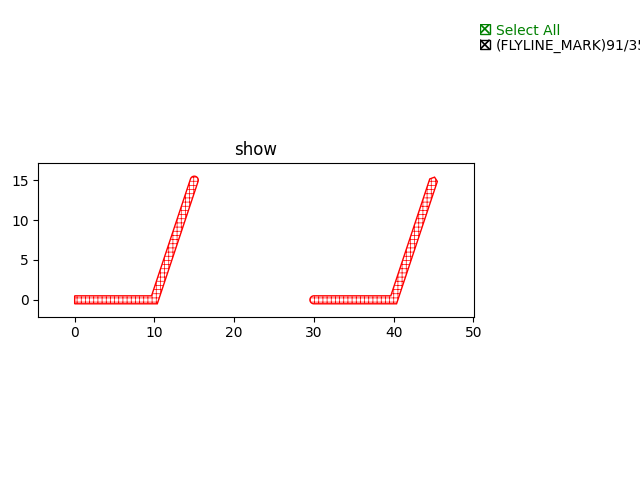
points = [(0, 0), (10, 0), (15, 15)]el_round = fp.el.Polyline(points, layer=TECH.LAYER.FLYLINE_MARK, line_cap=(None, fp.el.LineCapRound()))el_triangle = fp.el.Polyline(points, layer=TECH.LAYER.FLYLINE_MARK, line_cap=(fp.el.LineCapRound(), fp.el.LineCapTriangle(ratio=0.4))).translated(30,0)
fp.el.EllipticalRing- parameters
outer_radius
inner_radius
initial_radians
initial_degrees
final_radians
final_degrees
origin
transform
layer
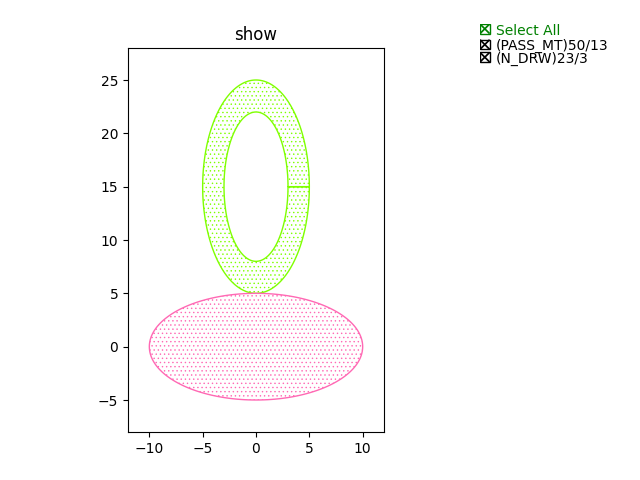
inner/outer_radius=[float, float]: The first provided number will be parallel to x-axis, and the second will be parallel to y-axis. When only one number is provided, it becomes a circular ring.examples:
ellip1 = fp.el.EllipticalRing(outer_radius=[10, 5], layer=TECH.LAYER.PASS_MT)ellip2 = fp.el.EllipticalRing(outer_radius=[5, 10], inner_radius=[3, 7], layer=TECH.LAYER.N_DRW).translated(0, 15)
fp.el.EllipticalArc- parameters
radius
stroke_width
final_stroke_width
stroke_offset
final_stroke_offset
taper_function
initial_radians
initial_degrees
final_radians
final_degrees
extension
line_cap
origin
transform
layer
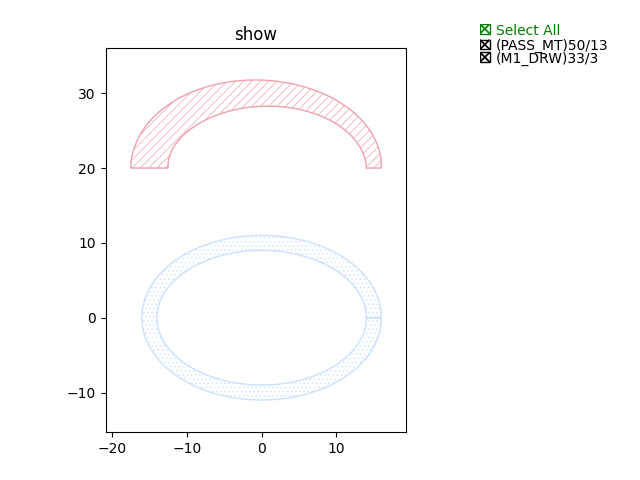
radius=[float, float]: The first provided number will be parallel to x-axis, and the second will be parallel to y-axis. When only one number is provided, it becomes a circular ring.stroke_width: Width of the elliptical arcfinal_stroke_width: Width of the elliptical arc at the final pointexamples:
elliparc = fp.el.EllipticalArc(radius=[15, 10], stroke_width=2, layer=TECH.LAYER.PASS_MT)ellip2 = fp.el.EllipticalRing(outer_radius=[5, 10], inner_radius=[3, 7], layer=TECH.LAYER.N_DRW).translated(0, 20)
To change the layer of an element from one component to another, users are allow to use fp.el.PolygonSet.with_layer() to easily adjust the layer of the element from one to another:
fp.el.PolygonSet.with_layer(self="polygon you wish to tranform", layer="the layer you wish the transformed polygon to be")